Header Parameters
Many project calls require the transmission of header information for information transmission or authentication. The javax.servlet.http.HttpServletRequest interface of tomcat is implemented through the custom MockHttpServletRequest class, and the transmitted header information is saved in MockHttpServletRequest. This request information is set to org.springframework.web.context.request.RequestContextHolder of spring for subsequent use.
WARNING
If the Header parameter is passed, it will be set to RequestContextHolder. If there is a need to determine whether it is a Web environment operation, it will be affected.
Global Header Parameters
Click the  toolbar on the right side of Idea to wake up the DebugTools window, and click
 Add to add the Header information to be passed.
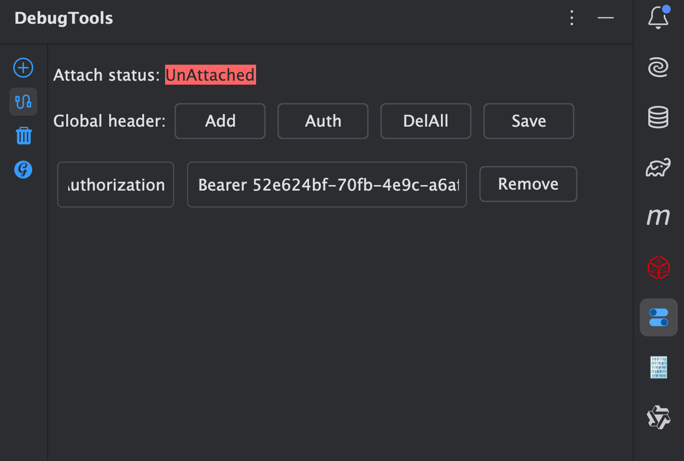
- Add: Add a Header parameter.
- Auth: Quickly add a Header parameter with the key as the Authorization parameter.
- DelAll: Clear all Header parameters.
- Save: Save the Header parameters.
- Remove: Delete the current Header parameters.
TIP
You need to click the Save button every time you modify the Header parameter, otherwise it will not take effect.
All quick call methods will carry the Header parameter.
Method Header Parameter
Click Debug Panel to set the Header parameter for the current call method separately.
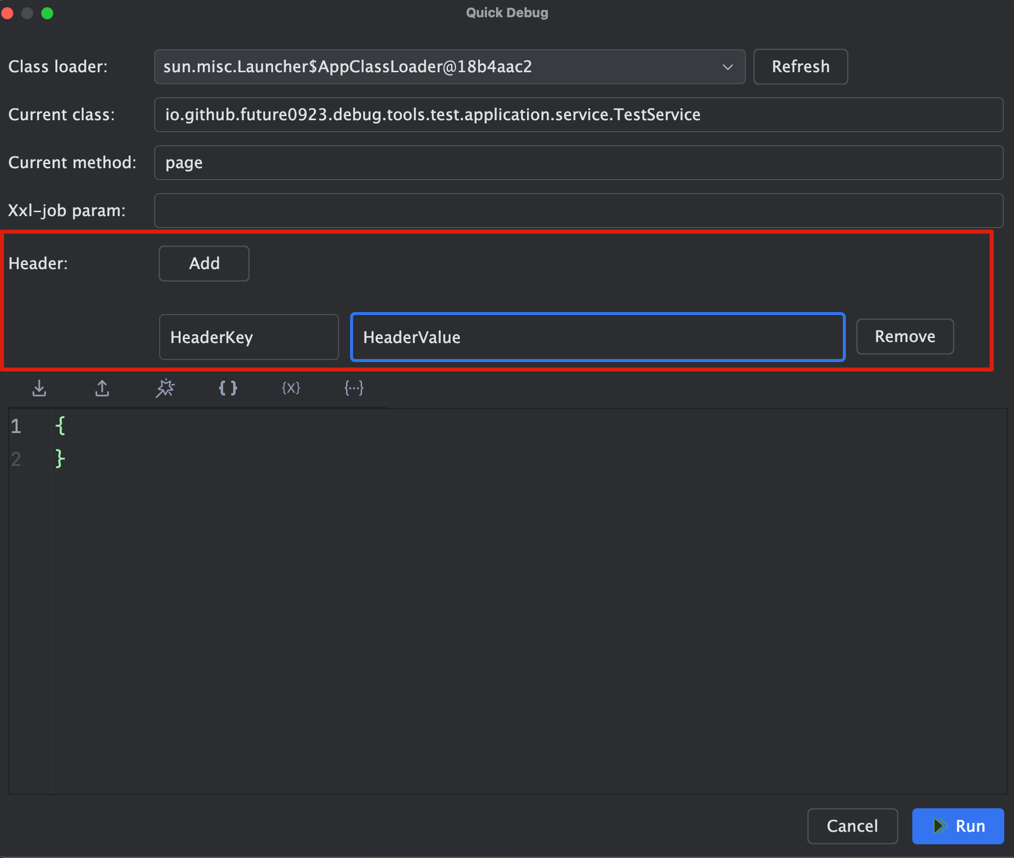
Add: Add a Header parameter.
Remove: Delete the current Header parameter.
Parameter Priority
When calling, the global parameters and method parameters will be merged and passed. If there are the same parameters, the method parameters will be used.